![KC-H-18.jpg]](https://support.kitchencut.com/hs-fs/hubfs/KC-H-18.jpg?height=40&name=KC-H-18.jpg)
The Delivery Summary report in Kitchen CUT helps users review deliveries over a selected period. It provides a product-level view of delivery activity, rather than requiring users to look at each delivery individually. This is useful when reviewing deliveries for an outlet, investigating products or categories, and preparing for a stock close.
How to Access the Report
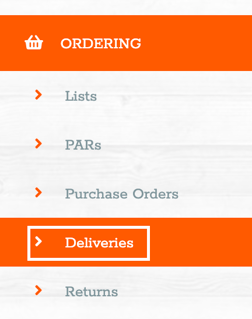
Ordering > Deliveries
📄 What the Report Shows
The existing Delivery Summary breaks purchasing information down to ingredient level, organised by:
- Category
- Inventory class
- Outlet
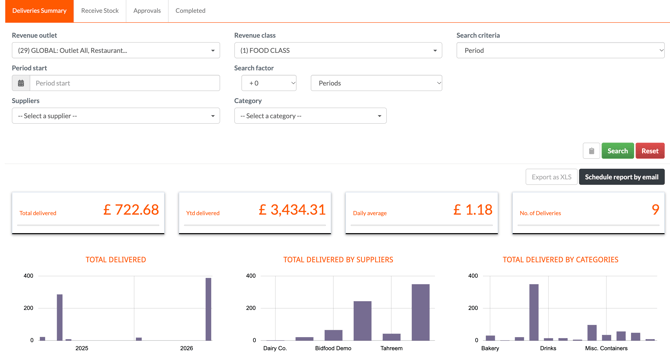
This provides a detailed view of products associated with deliveries across the areas being reviewed. The exact columns, date rules and included delivery statuses still need to be verified.
📊 Best Practices
- Start with a single outlet and a shorter period when investigating an issue, then broaden your review as needed. Long periods or multiple outlets can make a detailed report harder to review.
- Use the ingredient-level breakdown to investigate a particular product or category.
- Before closing stock, compare delivery information with delivery records and supplier documents, and check that deliveries have been accepted.
- Use delivery records alongside purchase orders, delivery notes and invoices when investigating discrepancies. The report alone does not confirm that every delivery has been entered or approved.
❓FAQs
How is Delivery Summary different from Order Summary?
Order Summary focuses on what was ordered, including product names and codes, quantities ordered, purchase orders and linked suppliers. Delivery information concerns what was recorded through the delivery process. What was ordered and what arrived may differ, so use both views when investigating discrepancies.
How are deliveries recorded?
A delivery is recorded against an order through Ordering > Deliveries > Receive Stock, submitted for approval and then shown under Completed once approved.
🆘 Need Help?
📧 Email Support: support@kitchencut.com